Prepare
Import a calendar event or create a meeting, then capture the people, context, desired outcome, and agenda.
Prepare on one screen, capture notes on the other, and turn every conversation into a clear, reviewable follow-up.
These screens are captured from the current iPhone build. DuoBrief expands across the open inner display and adapts to the compact screen when folded.
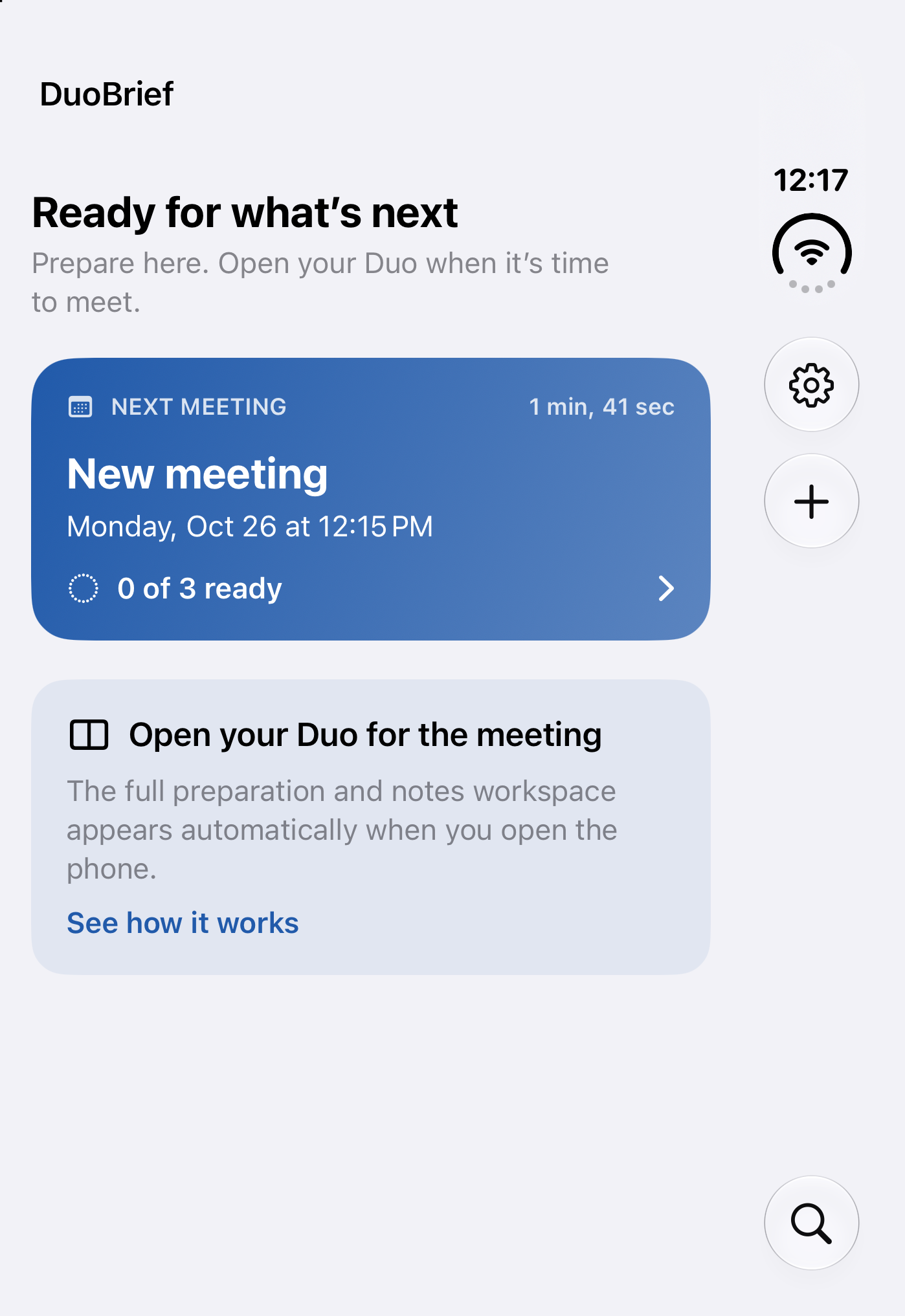

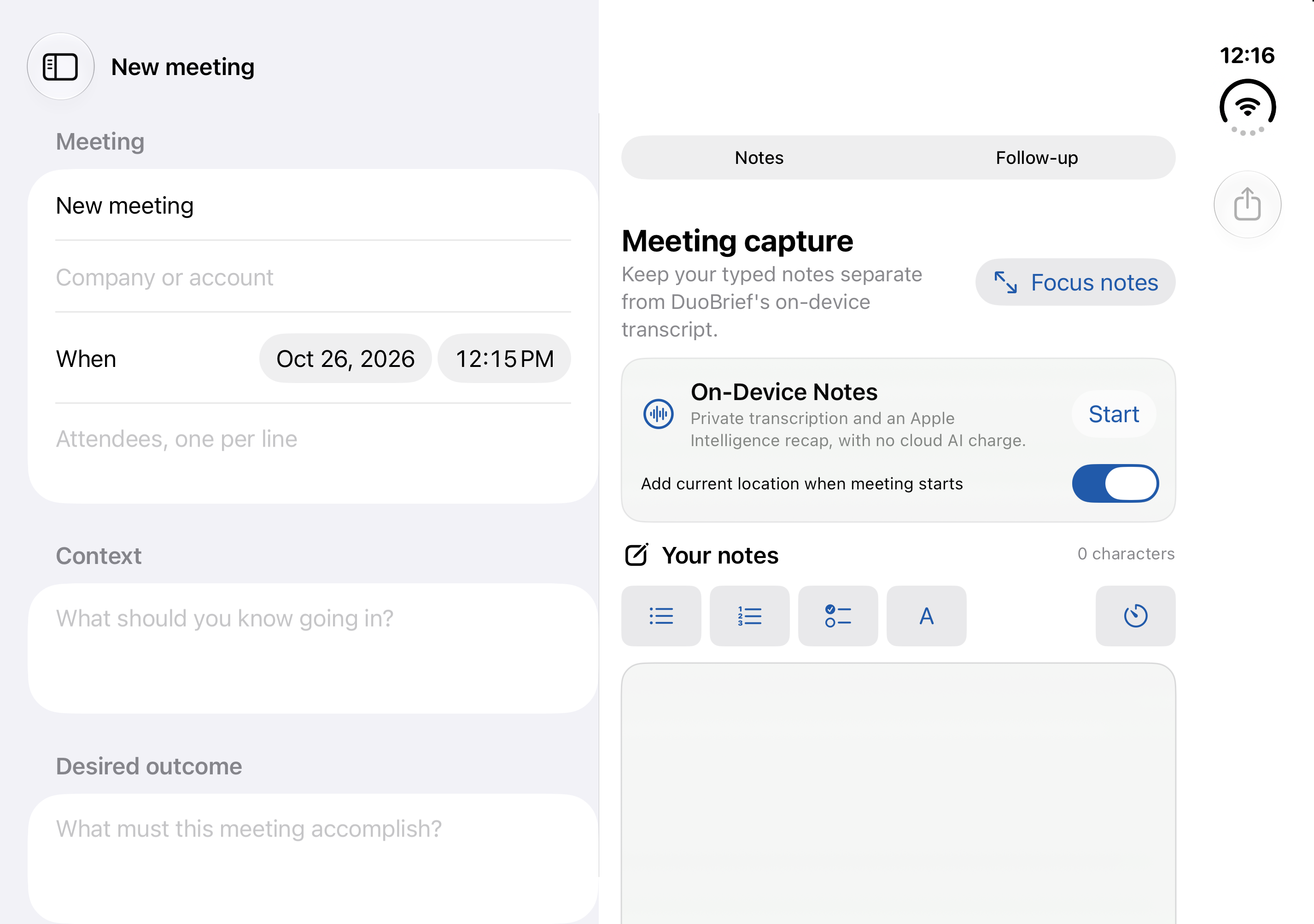

Designed for the iPhone Duo inner display, with a compact workflow when the device is folded.
Import a calendar event or create a meeting, then capture the people, context, desired outcome, and agenda.
Keep the plan visible while private On-Device Notes transcribes beside your separate typed notes.
Review the recap, decisions, explicit next steps, and an email draft before anything leaves the app.
The latest native build expands the complete meeting workflow without sending your meeting content to a cloud AI service.
Expand the notes workspace, automatically tuck away the sidebar, and keep the meeting on track with a persistent countdown and optional local alert.
Stop and restart On-Device Notes without losing earlier work. Each session is preserved as a localized, timestamped segment.
Create an on-device recap, explicit decisions, conservative action suggestions, and concise, warm, or executive follow-up drafts.
Add a reviewed action to Apple Reminders only when you choose, or preview and share either a summary or full notes through the iOS share sheet.
Choose Automatic, Light, or Dark appearance. Import a selected calendar event, tag one meeting location, and search your local history.
Use DuoBrief in English, Spanish, French, German, Brazilian Portuguese, Japanese, or Korean, with locale-aware dates and times.
Recording, transcription, and Apple Intelligence processing stay on supported devices. Optional secure sync makes your meetings available in the web companion without using cloud AI to read them.
Every app feature is included during the trial. After seven days, continue with one straightforward monthly or annual plan.
Full access for seven days. Your selected monthly or annual App Store subscription begins when the trial ends unless you cancel.
Coming soon Subscription products and the App Store listing are not active yet.The App Store will display available local pricing and trial eligibility before purchase.
Straight answers about the iPhone app, private processing, secure web access, languages, and subscriptions.
DuoBrief is a meeting workspace built for iPhone Duo. It helps you prepare, capture separate typed and on-device notes, review recaps and decisions, and create follow-up drafts.
No. Recording, transcription, and Apple Intelligence processing stay on supported devices. If you turn on secure sync, your meeting records are stored in your private account for the web companion, but cloud AI does not read them.
Choose Web sign in on this website. After signing in, the secure web companion lets you review, search, edit, and share meetings synced from your iPhone.
The app and website support English, Spanish, French, German, Brazilian Portuguese, Japanese, and Korean, with locale-aware dates and times.
Every app feature is included for seven days. After the trial, continue with the monthly or annual App Store subscription you select. The App Store will show the available local price and eligibility before purchase.
Not yet. The App Store listing and subscription products are being prepared. The official badge on this page will become an active download link when the listing is live.
Capture meetings on iPhone, then review, search, edit, and share them from the secure DuoBrief web companion.
Web sign in